Category: Photography

  • Comparing Analog and Digital Film

    A few weeks back, I took my analog camera — a Canon AE-1 Program — for a walk in Haugesund, a city on the west coast of Norway.

    I also brought along my Canon 5D Mark II for three reasons:

    1. Take comparison shoot (which we will look at today)
    2. Verify that the light meter in the AE-1 is working correctly (it is)
    3. Be able to take more pictures once the 24 frames were used.

    Just to get the technical out of the way.

    Canon AE-1 Program:

    • Fujifilm Superia 200 film, 24 frames
    • 50mm f/1.8 lens

    Canon 5D Mark II:

    • RAW and JPG
    • Kodak Portra 160 NC picture profile for the JPGs
    • 50mm f/1.4 lens
    • ISO 200 to match the film speed on the AE-1

    Regarding the picture profile; the Kodak Portra 160 is from the 158 pack of picture profiles from Cinescopophilia. I have written about picture profiles earlier.

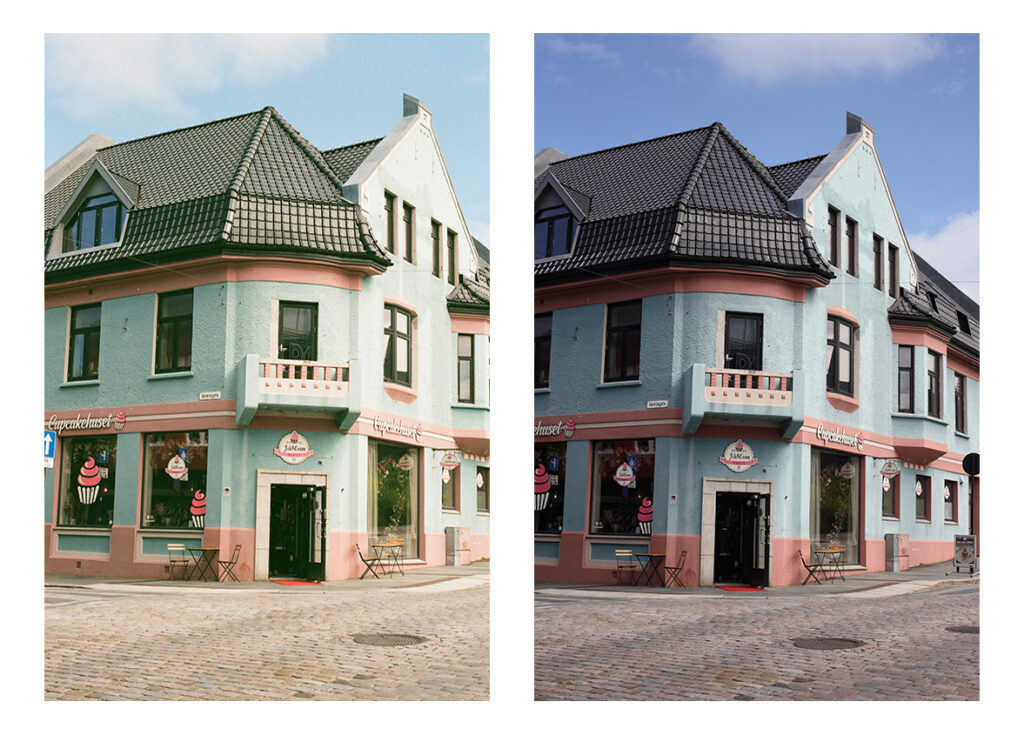
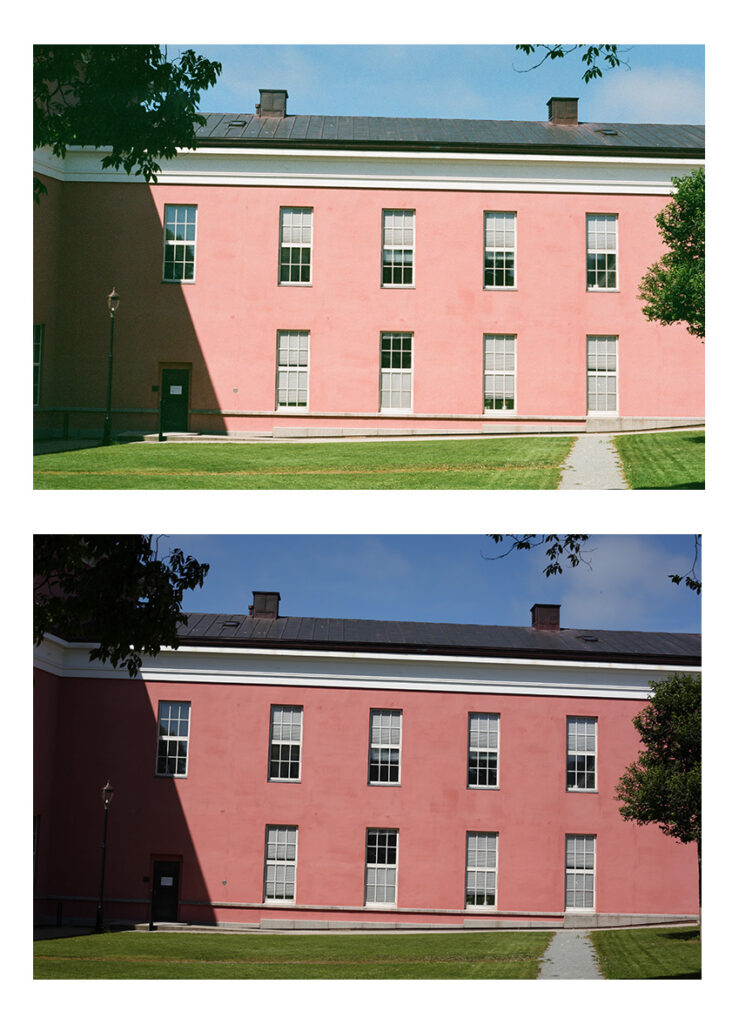
    In the images below I have only used the RAW files and applied both the picture profile that was set in camera and the standard picture profile that comes with the camera using Canons Digital Photo Professional program.

    I chose these images because of the colors. I do not believe they are masterpieces on their own.

    Analog on the left, or top. Digital images on the right, or bottom.
    I tried some of the picture profiles in the 158 pack, but none of them got close to the colors produced by the Fujifilm Superia.

    It’s quite distinct, no doubt about it.
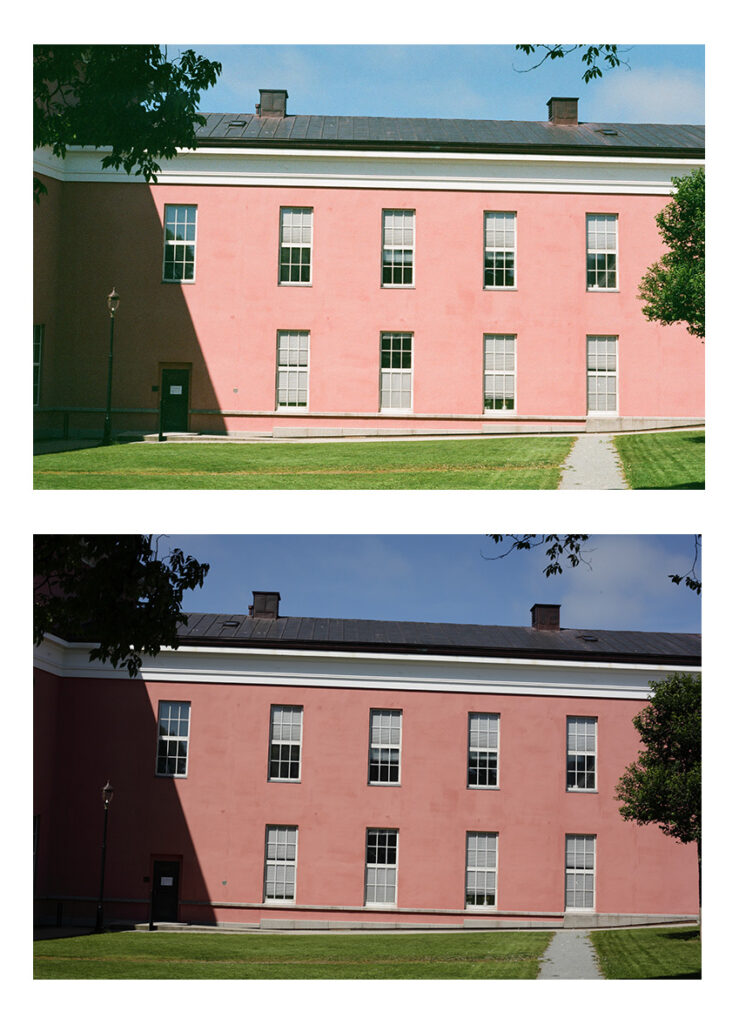
    Once again it is easy to spot the difference.

    The analog picture seems brighter, even thought the settings are identical. So either the film is a bit more sensitive, it has been processed slightly differently, or the light meter is a bit off1.

    Since I took the images in RAW, I could try to push the exposure a bit to see if I can get a better match. However, I still don’t think it will match the colors. Especially on the blue in the first picture.

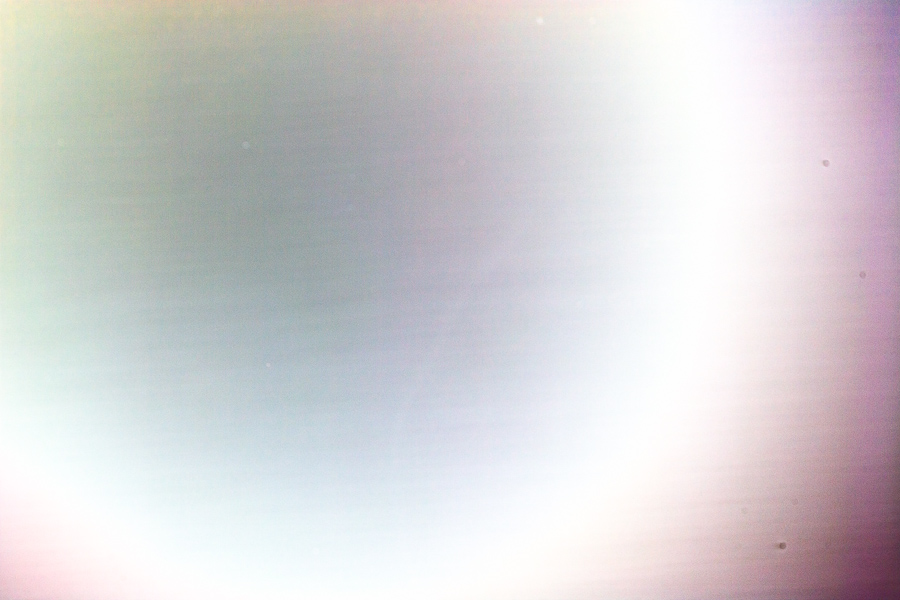
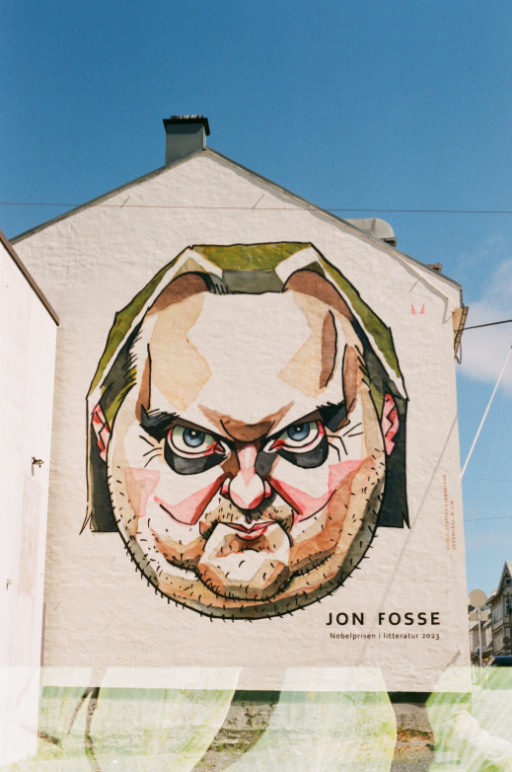
    I also tried to do a double exposure, but that failed twice.

    First, the double exposure was way off. Not even worth showing the image, it’s just a mess.

    Secondly, I was not able to align the frame correctly, so the double exposure was both on the frame I intended to double expose, and part of the next frame, as show in the image below.
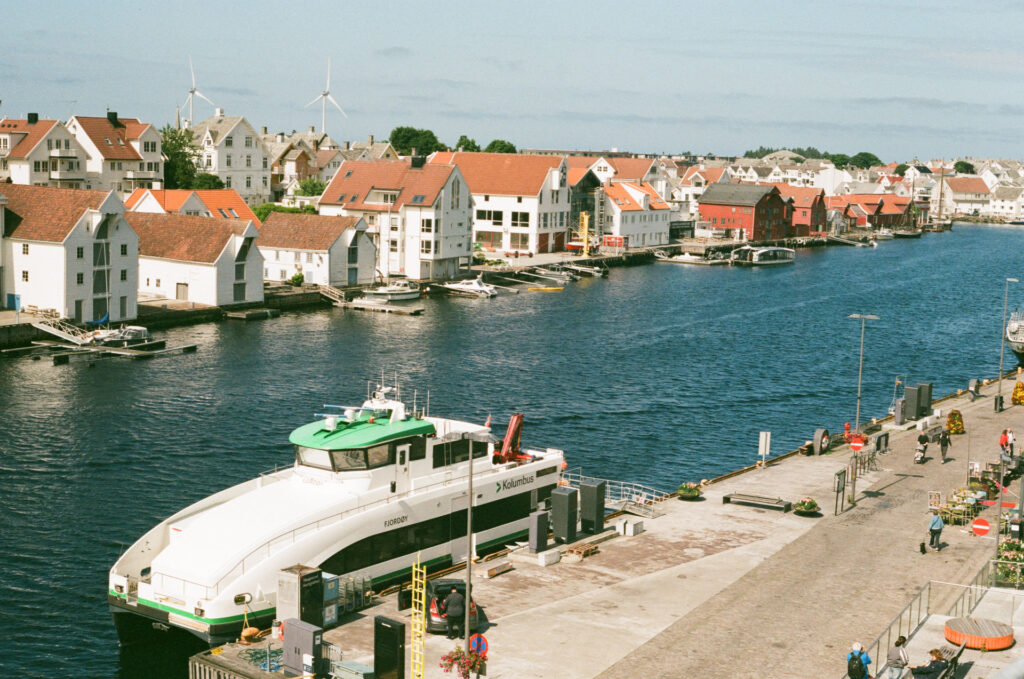
    I think the Fujifilm Superia 200 has the “look and feel” of the 90s. It also handles overexposure a lot better than its digital counterpart.
    The next film I will be shooting is the Kodak Gold 200. I will try to do the same exercise where I take the same shots with the Canon 5D Mark II with the same settings and compare them.

    I’m also thinking about getting my hands on the Kodak Portra 160 since I have at least 3 picture profiles that claim to be close to that film.


    1. After I had published, it occurred to me that it could also be the timing of the shutter that is slightly “off” on the Canon AE-1 Program. If I adjust the exposure on the digital image by +0.75 it seems to match much better. ↩︎
  • Shooting Analog Film in 2026

    I’ve spent the better part of the summer isolated at home due to a rather nasty virus. However, recently I have been feeling well enough to go for short walks, and on one such occasion I decided to bring along my Canon AE-1 Program — an analog film camera — with a 50mm f/1.8 FD lens. A classic combination.

    In the camera I had a roll of Fujifilm Superia 200, 24 frames, that was stored in my fridge for a few years. Could be anything from 2–6 years. I don’t remember.

    I also brought along my Canon 5D — I think it sounds better than my 5D mark II — paired with a 50mm f/1.4 EF lens. On this camera I shot both RAW and JPG, where the JPG was processed with a Kodak Portra 160 picture style in camera.

    Yes, you can install different picture styles on newer Canon cameras. And by newer I mean from late 2005, like the classic Canon 5D, but not early 2005, like the Canon 350D. More on picture styles later.

    Some of the shots I took with both cameras, and I am looking forward to compare the results. But for the most part I just used the analog camera.

    Using a analog camera, in manual mode, with manual focus, forced me to slow down. Everything had to be checked and double checked. Focus. Exposure. Framing. There is no way to check the result on a screen and try again.

    And yes, I know the AE-1 Program has a program mode — it’s in the name. But I like to shoot in manual, I do so on my digital cameras as well, except for the OM System TG7. But that’s for a different kind of shoot, where time is not on your side.

    My first DSLR

    This experience made me curious, so I charged the battery on my Canon 350D — my first DSLR — and took it for a walk as well.

    The 350D, as mentioned above, does not support picture styles. You can, however, tweak some parameters, which I did after doing some simple research. Well, used an internet search engine to be more precise.

    The shutter sound on the 350 is what I would call “light and cheerful”. It has a smaller sensor, and thus also a smaller mirror and shutter curtain. But it’s noticeable slower writing files to the CF-card than the 5D.

    I also have the 5D mark II, and for some reason this camera sounds different from the original 5D. To be honest, I’m not a fan of the shutter sound at all.

    Camera equipment

    The danger of picking up and using all my cameras is of course that I now suddenly find myself searching for more camera equipment. And that is a deep, and expensive, rabbit hole.

    So far I have looked for other Canon EOS analog cameras, because I have already invested in EF lenses, only apparently not enough, because I’ve also been searching for lenses. Especially prime lenses, like this beautiful Canon 50mm f/1.2.

    Also, after a few YouTube videos, I have searched for Leica, especially the Leica M6, which seems to be the holly grail of Leica film cameras.

    I guess it would make more sense to buy a digital Leica M, like the M9 or M10, but damn it is expensive. However, it would make me one of the cool kids. Yes, I know that the Leica M11 is the newest, but if the M9 is expensive used…

    Picture Styles

    Since you asked.

    A few years ago, I discovered a site with 158 Canon dSLR Picture styles picture profiles. Here is how to install the picture styles, or, if you prefer, a YouTube video on how to install picture styles on Canon.

    Thomas Fransson, from the YouTube video linked above, also makes his own picture styles, which you can download for free — or you can give a small donation.

    A quick note: The picture styles from Thomas is in the pf3 format, which is only supported on cameras from 2007 and onwards — like the 5D mark II, but not the 5D classic. The 5D classic support only the pf2 format. However, cameras that support pf3 also support the pf2 format.

    On the Canon 5D I have installed the following picture styles at the moment:

    • Fuji Velvia
    • Kodak Portra 160
    • BW_5

    And on the Canon 5D mark II, I have these:

    • Fulji Velvia
    • Kodachrome 25
    • BW_5

    They are all from the 158 pack I mentioned.

    Just to make it clear; the picture styles installed on the Camera only affects the JPG images. It does not affect RAW images, so if you want to actually get any effect, you have to shoot JPG (you can shot both RAW + JPG) — or apply them in post using Canons software.

    The pictures

    Well, sadly, the 1-hour photo lab seems to be out of fashion, so I just have to wait to get the pictures back. I was told it could take up to 3 weeks.

    For the digital photos; I was not that happy with them. Not from the 5D or the 350D. Which can mean only one of two things: I’m a bad photographer, or it’s the equipment. So, obviously, I’m still looking at Leica M-series online.

    I might share the images once I get them back from the lab. I still have faith in them.

    Then I will probably also show the comparison with the pictures I took with the Canon 5D from the same location and with the same settings.

  • Fixing Yongnuo RF-600TX

    A few years ago I bought two Yongnuo RF-602 RX receivers and a Yongnuo RF-600 TX transmitter for my Canon flash units. Recently they started misbehaving. Sometimes the flash didn’t fire, sometimes it fired to late. When using the test button however, the transmitter worked fine. What I noticed was that the green light on the front of the transmitter was flashing more or less continuously (when connected to a camera and the camera was on).

    The green light is supposed to light up when the shutter button is half-pressed, and I assume it sends a signal to the receivers to wake up the flash. I also suspect that this behaviour, where the green light is on for no apparent reason, is “jamming” the other signal.

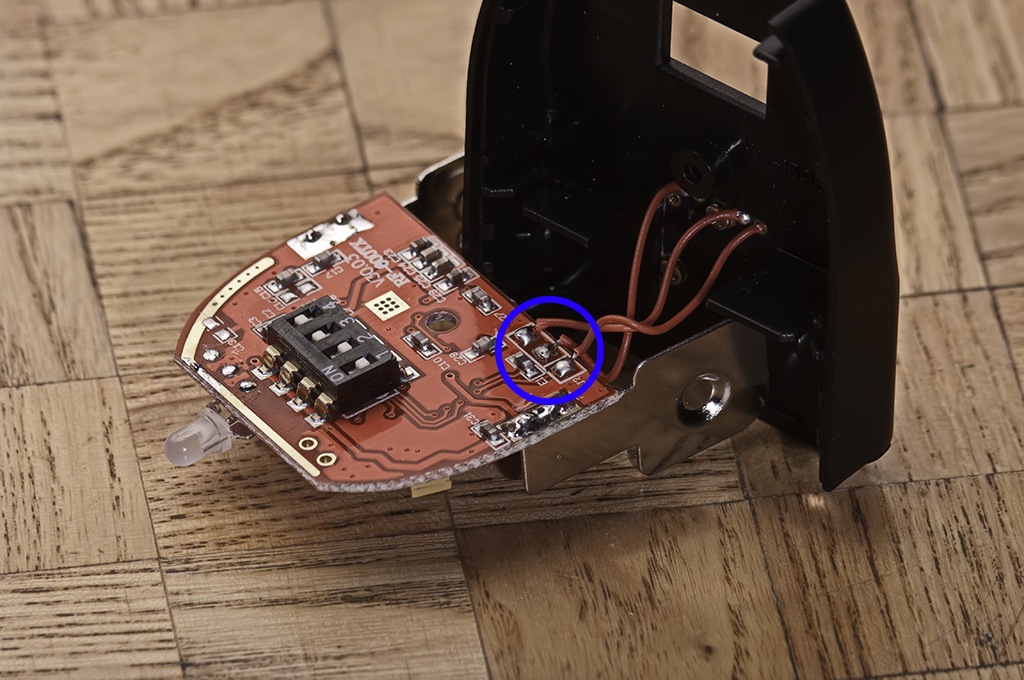
    If you have this problem, the easiest way to verify is to block all the pins on the hot shoe except the one in the middle, which is transmitting the trigger signal. I used a thin piece of plastic to test this. This silenced the false signal and allowed the real trigger signal to function.

    https://www.flickr.com/photos/ozadr1an/5550177399/in/photostream/
    Image by OzAdr1an on Flickr

    The more permanent solution is to open up the RF-600TX and remove the wiring to the offending pin. The unit has 3 wires. One for the trigger signal, in my case the wire in the middle, one wire for the base of the hot shoe, let us call it ground, and a third wire going to one of the other pins. This will vary depending if you have the Canon or the Nikon model.

    Figure out which wire goes to the center pin, and which goes to the ground. Cut the third wire. Or take a soldering iron and gently remove it, in case you want to reattach it. That is what I did. To figure out what’s what I used a multimeter.

    By the way, this might slow down the sync speed. But in my case it never worked with anything higher then 1/160 anyways…

    Update: I just thought about this. To wake up the flash unit(s) you can half-press the test button instead of the shutter button. Or just force the flash units from going into sleep mode.


    The image in this blog post is from OzAdr1an on Flickr and has been modified.

  • Coffee All Over the Place

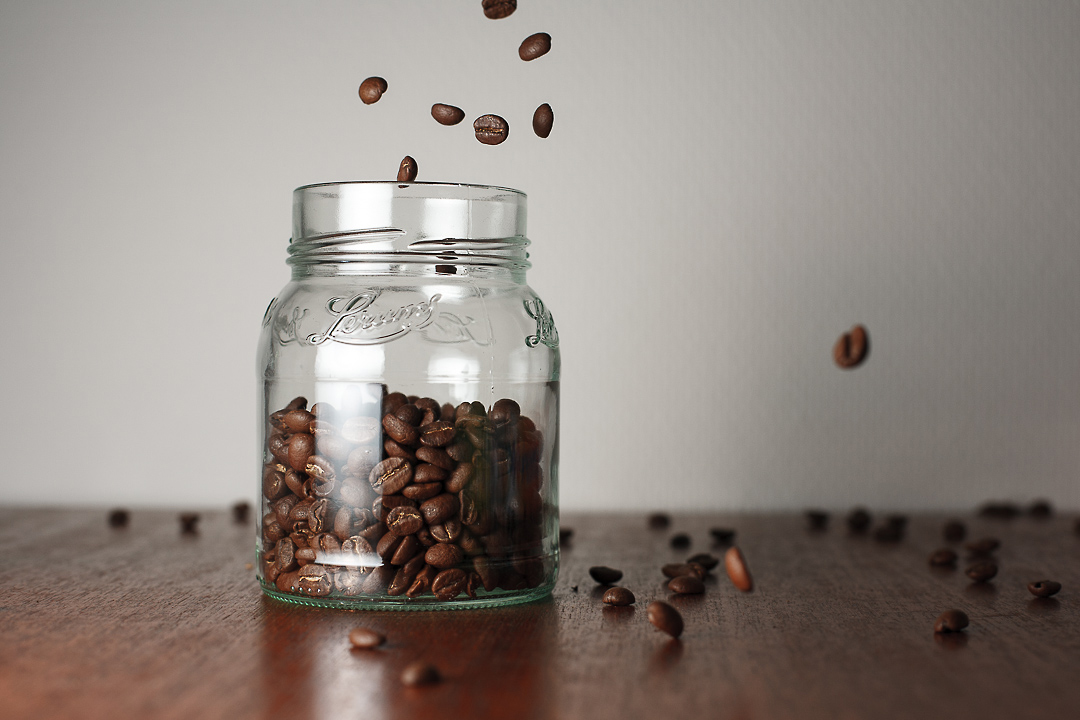
    Got a 10-minutes inspiration. Set up took 5, trail and error took 2, clean up broke the bank. So let’s say I used 15 – 20 minutes on this shoot in total. A lots of small mistakes where made, which I didn’t notice until after. But at least I got the focus right.

    coffeeI have coffee all over the place now… damn those beans can bounce.

  • Sensor Cleaning Gone Wrong at Dealership

    So I decided to give my 5D a proper sensor cleaning before my vacation. I have done this myself before, but since I had run out of sensor swabs, and I wanted it to be a proper cleaning, I gave the job to an authorized Canon dealership. Turns out that was a big mistake.

    Now the sensor have more dust on it then it ever had before.

    This image is from the second time I picked it up at the dealer. The first job they did wasn’t any good, so I complained and they took another look. I guess I’ll have to ask for a full refund and some sensor swabs so I can take care of this myself now.

    I most certainly won’t trust them with my camera again.

    Update: They didn’t give me a refund, but they offered to try to clean the sensor again. I declined. Mostly because I need the camera on monday. I did, however, get a few sensor swabs with me. I used two swabs when I got home, and now the camera is ready for action.